Hello Alan Lloyd - Your Scores - Logout

How Does AI Drive Self-Driving Cars! (Q&A)

Q & A - How Does AI Drive Self-Driving Cars!

If you’ve ever heard your child say, “How can a car drive by itself?”, you’re not alone. This AI self-driving cars parent Q&A page has been created to help you answer those big science questions confidently at home. Whether your child is 8 or 16, they might be curious about artificial intelligence, sensors, or why these cars don’t need a driver. And honestly—who wouldn’t be?
This Parent Q&A page covers the key ideas in plain English. You’ll find simple explanations, helpful comparisons, and real-world examples. You don’t need a science background—just a bit of curiosity. The answers are designed to be practical and home-friendly, not filled with confusing jargon or classroom theory.

We explain how these cars “see”, “think”, and make decisions, all using AI. There’s also discussion of what happens when things go wrong, and what the future of transport might look like. We’ve also got a lesson plan available if you want to go deeper into the topic. But this Parent Q&A page is a great place to start if your child asks questions out of the blue. AI might sound complex, but with the right support, you’ll be able to explore it together.


This topic is part of our Info Zone collection. You can read the full topic, once logged in, here: How Does AI Drive Self-Driving Cars!

You’ll also find a full Lesson Plan and a handy Parent Q & A sheet, for this topic, ready to use..

Printable Parent Q&A


Tip for Parents: You don’t need to know everything to help your child explore this topic. Just read through the answers together and ask “what do you think?” often.


What is artificial intelligence (AI) in a car?

Artificial intelligence in a car is like giving the car a brain. It helps the vehicle collect information, learn from it, and make driving decisions—without a person steering or braking. AI lets the car understand what’s happening around it and respond in real time.


How does the car “see” what’s around it?

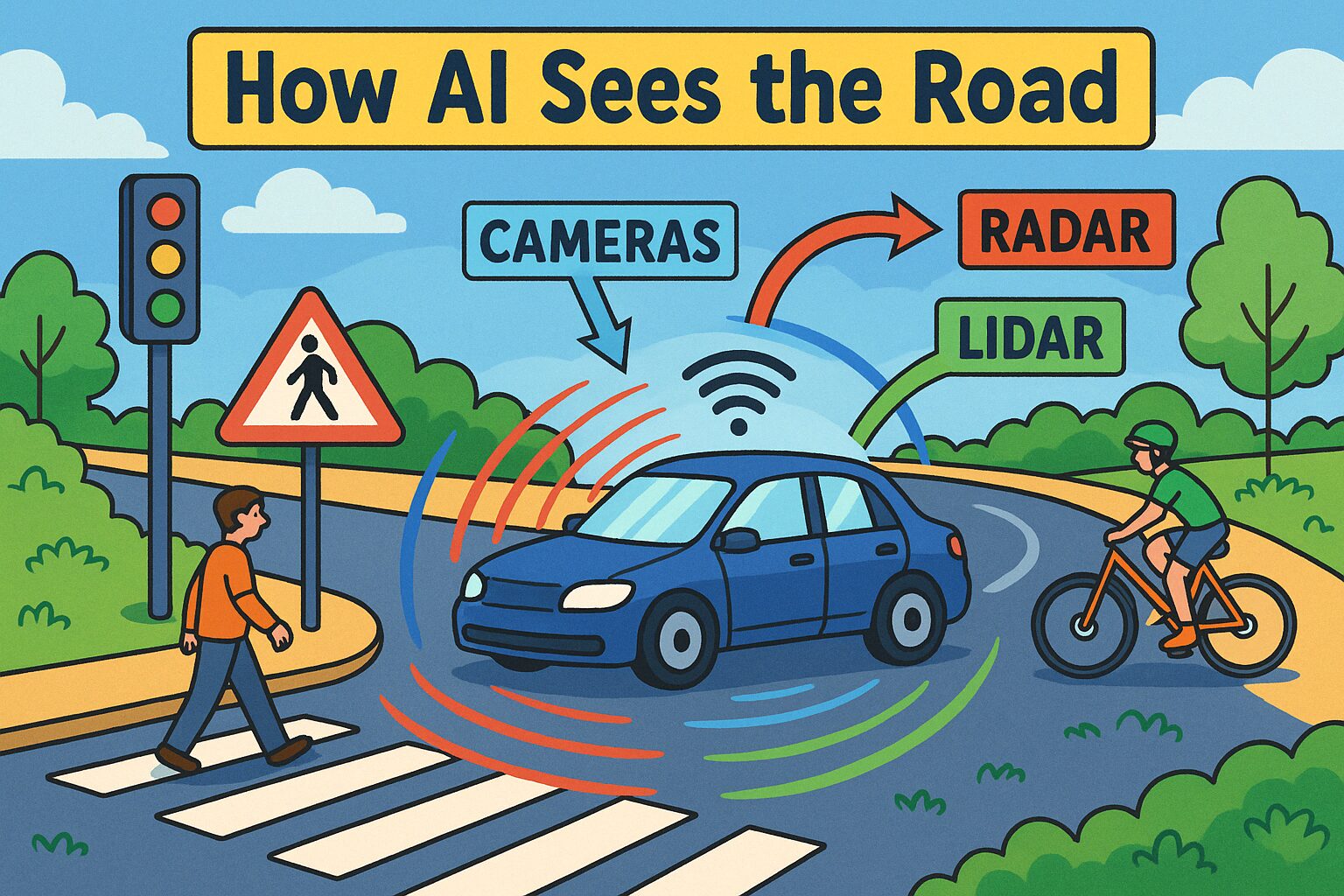
Self-driving cars use cameras, radar, and something called lidar (a type of laser scanner). These act like the car’s eyes, helping it spot traffic lights, road signs, people, and other cars—even in the dark or rain.


What does lidar do?

Lidar (short for “light detection and ranging”) uses lasers to measure distances. It creates a 3D map of the area around the car, which helps the AI know exactly where things are and how close they might be.


Can these cars really drive themselves?

Yes—but only in some situations. AI self-driving cars can already drive on certain roads without help, especially during tests. But they’re not fully independent yet in all conditions. Humans still need to monitor or take over sometimes.


How does the AI know what to do?

The AI system uses something called machine learning. This means it has been trained by looking at thousands of driving situations. It learns patterns, just like people do, and then uses those patterns to make safe choices.


What if something unexpected happens?

If the AI sees something it doesn’t understand—like an unusual object or blocked road—it usually slows down or stops. Some cars can even call for help or let a human driver take over remotely. Safety always comes first.


Why do these cars need more than one sensor?

Each sensor does something different. Radar works in poor weather, cameras spot colours and signs, and lidar maps the shapes of objects. By using them together, the AI gets a much clearer picture of what’s around it.


How does the AI know where the car is?

The car uses GPS (like sat nav) along with detailed maps and real-time data from its sensors. This process is called localisation—it helps the car know exactly where it is on the road, even if the route changes suddenly.


Can AI make mistakes?

Yes—just like people can. AI isn’t perfect. It sometimes struggles with things it hasn’t seen before or when sensors are blocked. That’s why backup systems and safety features are so important in every AI self-driving car.


Why is this technology useful?

AI self-driving cars could help reduce accidents, especially those caused by human error. They might also make travel easier for elderly or disabled people. In the future, they could cut traffic and even lower pollution.


How do self-driving cars make decisions?

The AI collects data every second and compares it with what it’s learned before. It uses logic, prediction, and planning to decide what action to take—just like a chess player thinking several moves ahead.


Is there more than one type of self-driving car?

Yes. There are different levels of automation. Some cars just assist the driver (like automatic braking), while others can drive on their own in specific areas. Fully driverless cars (no steering wheel) are still being tested.


Can AI tell what other drivers might do?

To some extent, yes. AI systems try to predict the actions of people, cars, or bikes around them. They use probability and pattern-matching—guessing what’s most likely to happen next and planning accordingly.


How does this link to everyday life?

Your child might see self-driving delivery vans, warehouse robots, or even AI in apps like Google Maps. The technology is already shaping jobs, cities, and transport systems. Understanding it now helps prepare for the future.


Where can I learn more about this?

You can visit this topic page to explore the learning resource: How Does AI Drive Self-Driving Cars!


Why is this a great topic for home education?

It combines science, computing, ethics, and real-life thinking. Plus, you don’t need equipment—just conversation and curiosity. It’s a brilliant way to get your child thinking critically about the world they’re growing up in.


Leave a comment

'; // Add header content for print html += '

Lenara Learning

Get more learning resources at www.lenara.uk

'; // Insert the worksheet content html += '
' + content + '
'; html += ''; printWindow.document.write(html); printWindow.document.close(); printWindow.focus(); // Trigger printing and auto-close the popup printWindow.print(); printWindow.onafterprint = function() { printWindow.close(); }; setTimeout(function() { printWindow.close(); }, 1500); }